

Digital health attribution with CAPI and GA4 works only when your event model matches real patient journeys. This episode gives a practical blueprint. Start by defining a small set of events that describe the steps people actually take, for example view service, find location, start intake, submit intake, appointment booked, and care started. Keep names and properties consistent across platforms so analysis and activation align. Next, design for privacy and performance at the same time. Use consent gates that are clear and easy to understand. Send filtered server side events that exclude sensitive fields. Keep a minimal payload that still carries the context media platforms need.
Feed high quality consented events to Meta through CAPI, and instrument GA4 with event and conversion settings that reflect your funnel, then let modeled conversions fill gaps where browsers block signals. Close the loop with offline conversions, for example appointment status and first visit, so spend can flow to what truly drives care. For measurement, do not rely on a single model. Compare platform reporting, GA4 data driven attribution, and a simple MMM style view that checks your baseline. Keep the system healthy with weekly audits, event logs, and clear change control. The result is a durable stack that respects privacy, preserves signal, and helps you invest with confidence.
Build a durable marketing infrastructure using privacy-compliant tracking, event setups, and advanced attribution models to measure success accurately.
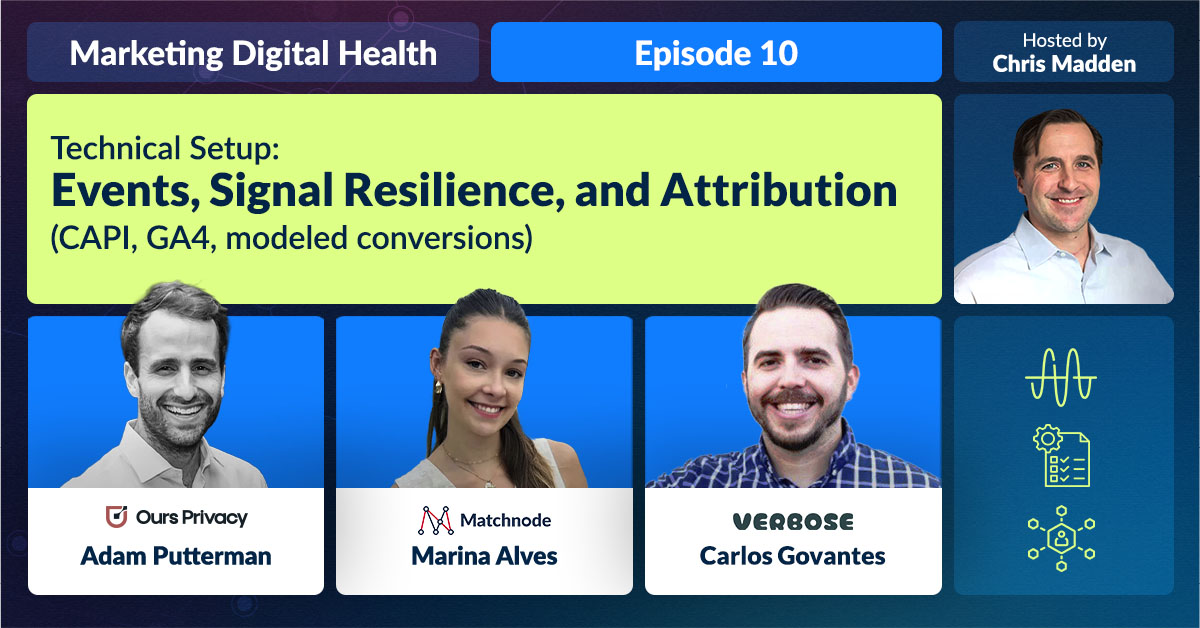
This panel blends a privacy first CDP founder, a technical media lead, and a lifecycle architect. Together they show how to build a stack that is compliant, resilient, and useful.
You can't help anyone if you can't reach them. A lot of companies, particularly because of the compliance requirements, are in that situation where they're sitting there and they know how to reach people, but they technically cannot do it in a compliant and or an effective way, and we get to enable them to do it.
Adam Putterman
Co-Founder of Ours Privacy, which is a customer data platform (CDP) that helps healthcare organizations run compliant, privacy-first marketing campaigns. With deep expertise in HIPAA and state regulations, CDPs, and healthcare tech, Adam brings sharp insight into how brands can navigate digital marketing while protecting patient data and building trust.
With Conversions API, I can send events without sending all that personal information through the browser.
Marina Alves
Technical Lead at Matchnode, where she helps digital health companies design compliant, high-performing acquisition pipelines. Her work touches everything from platform tracking to HIPAA-compliant data flows, making her the go-to expert on the technical foundation behind effective health marketing.
There’s no perfect tech stack—it’s more important to have clean, clearly defined data.
Carlos Govantes
Co-founder of Verbose, where he designs the technology and lifecycle frameworks that power sustainable patient engagement for digital health companies. His expertise covers the full spectrum—from growth strategy to technical setup, including real-world experience solving challenges around event tracking, subscription models, and scaling engagement through smart infrastructure.
Chris Madden:
Is it possible to build a durable healthcare marketing infrastructure that optimizes for performance, but also ensures people’s privacy? This is Marketing Digital Health, and I’m your host, Chris Madden.
There’s been a major evolution in how digital health companies are able to use data in their performance marketing while still respecting regulations like HIPAA, as well as respecting patient privacy.
That’s what we’re exploring on today’s episode. You’ll be hearing from three experts, Adam Putterman, Marina Alves, and Carlos Govantes.
We’re kicking off the conversation with Adam Putterman, the co-founder of Ours Privacy, which is a CDP or customer data platform that helps healthcare organizations run compliant privacy first marketing campaigns. With deep expertise in HIPAA and state regulations, CDPs and healthcare tech, Adam brings sharp insight into how brands can navigate digital marketing while protecting patient data and building trust.
To frame this part of the episode, Adam picks up five to ten years ago, starting with pixel tracking, which is the simplest, earliest form of tracking, which is still used by many non health clients.
Next, we talk about Conversions API or CAPI, which is a direct connection between your website and your ad platforms. And finally we get to the modern era of health specific CDPs. Here’s Adam.
Adam Putterman:
When you’re working with a platform like Meta or Google, essentially what happens is you want to feed it as much data as possible and then tell it something like, will you find me more people like the people that have purchased so far?
And because these algorithms require so much data, what the norm has become is to put an advertising pixel on your site from these platforms, so to put a Meta pixel on your site, and then let them collect every possible piece of data about what is going on in your site, and in some cases what is going on in your product.
And if you’re an e commerce brand, that is probably okay. There’s privacy implications and consent implications, but there’s no real legal risk as long as the consent is there.
Where the issues start to arise is if you’re a healthcare company and a lot of the data that you’re collecting is most likely sensitive data, or PHI or health data of some sort.
Chris Madden:
If you’re unfamiliar with the acronym, PHI means personal health information.
Marina Alves is our technical lead at Matchnode. We introduced Marina in episode seven during the overview of the paid acquisition funnel in digital health. She recounts how pixel based tracking worked when it was the only game in town.
Marina Alves:
There used to be a time where pixels were our only source of tracking events on platforms, and that gave us total freedom on sending all the people information, their email, their IP, everything about them.
But recently there have been changes where people are more worried about what information is getting shared about them to all the companies out there, would that be the ad platforms or honestly anyone that could see their information, so with the move towards customer privacy.
When Meta launched Conversions API feature, that allows advertisers to send signals back to Meta, but without having to send them all the personal information through the person’s browser. So it basically removes a step in the middle where that step is where the privacy issues came in.
Chris Madden:
What came after pixels and cookies and why, CAPI or Conversions API, enables businesses to send conversion events from their servers directly to ad platforms, with the goal of both increased privacy and more accurate results.
CAPI arrived in 2021 thanks to Apple‘s app tracking transparency in iOS 14.5. CAPI was the next generation, more complex, safer in offering more control given privacy concerns.
Marina digs into the mechanics of a Conversions API to describe what’s actually happening, and tells us how to set it up.
Marina Alves:
With pixel and cookies, for example, say you use Google Chrome and you’re on a website and you submit a form. So what happens in the background that you don’t see is the browser says, oh, hey, this person submitted that form. I’m gonna get their email, gonna get their IP, and I’m gonna send all the information to Meta and their pixel and let Meta know that that person clicked on an ad and submitted that form.
But with Conversions API, what happens is if you submit that form through, I don’t know, if it’s a HubSpot form or something like that, what Conversions API does is it gets that form submission directly from HubSpot straight into Meta without having to go through the cookies on your Google Chrome browser.
And it gives you also the capability of choosing, oh, I don’t want to send that person’s email through if I don’t want to. With a pixel, it gets sent through if you have a little checkbox checked for automatic advanced matching, that’s gonna get sent through. But with Conversions API, you can choose not to if you don’t want to, so we have more flexibility to customize what data you send through.
And then you also avoid losing information in between because people can install a bunch of things on their computers that are gonna say, hey, I don’t want that pixel to see what I’m doing, and then you’re just not gonna get that signal back on your ad platform.
But with Conversions API, I have direct access to everyone who’s submitted that form, and I can send that straight to Meta without having to jump the roofs of that person not wanting to install a pixel or install cookies on their browser.
Chris Madden:
And if that sounds sophisticated, there’s more. You may be wondering like I am, how does AI fit into all that? If you’re not on board with this, does that mean your business will fall behind?
Marina explains that for one, it streamlines reporting.
Marina Alves:
The biggest change has been automation, because you used to be that you had to manually build reports, had to manually go into Ads Manager and manually get all those single metrics that you wanna show to your clients or maybe just see for yourself.
And with AI, it’s now integrated with so many of those platforms that you could just ask for it in one place and it’ll give you the answer without you having to manually go in there and find it yourself.
Chris Madden:
The proliferation of AI tools is increasing what it’s possible to know about creative performance, says Marina.
Marina Alves:
So there are AI tools that show you creative performance specifically. If a same image is being used in multiple ads, you can’t easily find that information in Meta to see how many conversions were there for that specific image by itself.
And there are tools out there that make that logic of combining all those images into one category, and then you can see all the conversions for that specific image, for example.
There are also a lot of AI tools out there that look at the creative images, not just like what the image is called, but what is actually in the image. So if the person in the image is a man or woman, or if they’re over 60 years old or under 60 years old, there are AI tools out there that look at that information that you, like a person, would be able to tell, but a computer used to not be able to and now they do.
And then see if the ad is doing better or worse, depending if that person is older or younger or whatever dimension you wanna analyze for that. So there’s a lot of different things that are now possible with AI that weren’t possible before if you didn’t have like a person actually looking at it and taking those conclusions.
So it’s making it easier for us in an advertising world in that way.
Chris Madden:
She says that there are many amazing ways to integrate AI, but different formats can present challenges that she’s working to overcome.
Marina Alves:
Getting the data from out of the ad platform and into some AI model to analyze it, technically it should be easy, but the thing is each data is formatted in a different way. So Meta‘s API is different than Google‘s API and the result that they spit out when you call their API is always different too.
So finding a way to tell AI, this is how you analyze the data from Meta Ads, but this is how you analyze the data from Google Ads ’cause it’s different. They’re structured different, so there’s nuances in there too.
And then there’s different ways to integrate with AI. So you can use workflow tools like Zapier to send data from one AI tool to another tool that you want, or like send an email notification with that AI information that you just ran through.
You can directly integrate the Meta API or whatever API you want directly into ChatGPT, and I’m still discovering new things about this.
Chris Madden:
When it comes to Conversions API, Marina says that Meta remains at the head of the pack.
Marina Alves:
Meta is the most restrictive one and they do things first and then the other platforms kind of like copy and see how it works out for Meta before they do it themselves, I feel like. So Conversions API is working great for Meta and it is now available for a bunch of the other ad platforms too.
But for example, for health restrictions, I feel like they’re stronger on Meta than they are in Google. So it’s rules that are always changing and it could be very restrictive now and not be the next day, so you never know.
Chris Madden:
Given her role, I asked Marina to share what AI tools she and our team have been using.
Marina Alves:
So I obviously use a lot of ChatGPT to help me with coding because for some of the tool integrations that I had to do for the team for a report or for some conversion tracking, it involves custom coding and writing that code with the help of ChatGPT or Claude or whatever AI that there is out there is a lot faster than typing that code out by myself.
Also, I have used a lot of New form AI to add information into Slack as if you’re talking to your assistant or like to a teammate that gets that ad information for you, but it’s actually an AI bot.
Those were the ones that I’ve used the most so far.
Chris Madden:
Dealing with all of the data, the contingencies, the privacy concerns, and the new methods has changed Marina‘s perspective on healthcare marketing.
Marina Alves:
I didn’t know that the companies who were advertising their services out there actually cared that much about you because I thought it was kind of just like, oh, they want as many clients as they can.
And now that I’m working with the brands who offer those services, it’s more clear to me that they actually care about, oh, we shouldn’t share that information about our clients.
It’s less of like, I want as much money as I can from as many clients as I can, and more of like, oh, I actually care about that client, that person’s experience of how they find us or how they schedule a call with us. It’s more personalized than I thought.
Chris Madden:
Customer Data Platform, also known as CDP. It’s a technology solution that helps businesses consolidate and manage customer data from different sources into a unified view.
CDPs collect, clean, and organize data, linking it to individual customer profiles, providing a 360 degree view of each customer. And once you’ve got your CDP in place, the result is a more holistic, unified overview.
Your business can personalize customer experience, target specific audiences, and improve the overall effectiveness of your marketing. While there’s a defensive element to CDPs, digital health companies can also play a bit more on the offense and be more focused on performance in their marketing efforts.
Adam explains that a Customer Data Platform lays out everything you should be aware of to be able to do just that.
Adam Putterman:
The biggest advantage of using a CDP is that you’re able to capture more data and tie that data together more effectively, which means you have a better idea of what true attribution is.
So you can see that a customer found you via a blog post and then came back via a Facebook ad, and then eventually purchased after seeing a Google ad, and knowing that they had all three of those touchpoints is very important from a decision making perspective about where you invest more time and resources, everything you can imagine there.
So when you get into what a CDP can do with cookies and server side tracking, and real time native connections, we were talking with a potential client about the potential cons of only uploading data every week or every few days, and how then ad platforms aren’t able to quickly adjust to what’s changing or not.
So you want data being passed in real time as much as you can. There’s a lot on the performance side, and that tends to be what we focus on a lot when we’re talking with clients.
This isn’t just a compliance decision, it’s also a performance decision.
Chris Madden:
We have the basics on how customer data is tracked and great tools to help keep that data safe.
Marina highlights what she looks for in accounts that signal to her what’s not working and what needs fixing. One tool she cross checks is Google Tag Manager, also referred to as GTM.
GTM is a primary tool in Marina‘s tool belt. It’s a free tag management system that allows you to add and manage marketing tags, which are snippets of code or tracking pixels, on your website or app without directly modifying the code in your code base.
Marina walks us through what using GTM is like, how it’s organized, and examples of variables you might end up working with.
Marina Alves:
It’s a Google tool that, once it’s installed on a site, you can easily go into that tool and add code in there instead of adding code on your website from scratch.
So in there you can also add what we call triggers really easily, and that just watches out for something happening on your website and then adds a piece of code, a pixel, or whatever it may be onto your website when that trigger is fired.
It just helps you control everything that’s happening when you want it to happen.
Chris Madden:
While the interface remains user friendly, an expert like Marina knows how to direct it to get the results she needs.
Marina Alves:
In Google Tag Manager, you have really easy form submission triggers where you can say, fire some pixel on all the form submissions on my site. Or you can filter it by, just fire this event only on the form submission when the page contains the word “setup” or something like that.
So you can filter it by whatever conditions you want. And sometimes that can get very technical where you have to figure out exactly what you need to filter by to figure out a way to fire that event only on that specific occasion and not fire it every single time ’cause that would not be accurate.
So it’s just a lot of technical analysis into figuring out the right triggers for everything.
Chris Madden:
Marina walks us through what using GTM is like, how it’s organized, and examples of variables you might end up working with.
Marina Alves:
You have separate tags for each of the pixels, so each ad platform has its own pixels, so you’d see a Meta Ads pixel tag in Google Tag Manager, you’d see a Google Analytics tag, you’d see a Google Ads tag, and those are for the pixel base codes that just make sure the pixel is on the client website page.
But then you also have tags for specific events firing. So that would be a form submission, a button click, and usually you try to name it as clearly as you can just so other people who collaborate with you on that Google Tag Manager account can understand what that tag is doing.
You also have different views for being tagged by tag. You can also see trigger by trigger. There’s also Google Tag Manager variables. So if on a specific event you want to send for an event purchase, you want to send the event name through, you have a variable with that event name set in there that you can then send it through on your Google Analytics tag or on your Meta pixel tag.
Chris Madden:
Marina says what the interface dishes up is good, but sometimes needs to be tweaked for better results.
Marina Alves:
I don’t think there’s ever a case when I go in there and like everything’s wrong, like I have to redo everything. But sometimes maybe I see Google Tag Manager script set up.
If they have like a form submission that they’re tracking, for example, they sometimes use a thank you page as a trigger showing that the form was submitted. And most of the times there’s usually a more efficient and more correct way to track that, which is tracking the actual form submission instead of tracking that confirmation thank you page view.
And sometimes that is impossible for however many reasons there are out there, but tracking the form submission specifically instead of a confirmation page view is best practice.
Chris Madden:
While it might not sound like a significant problem, Marina explains how the information collected can be skewed.
Marina Alves:
When you’re using page views, for example, too, if someone submits the form, gets to that confirmation thank you page, and then they for some reason reload that page, that could count that form submission twice if we use a page view.
So if you’re only counting the form submission specifically, that wouldn’t happen.
Chris Madden:
Early on in the process she says it’s important to plot the course.
She walks us through something called event firing. Marina and the client will decide what events like button clicks or form fills are most important on their website, and then map those to assure we’re tracking them correctly.
Marina Alves:
For a new client, I always start out making a data map, which is like a roadmap. The data map is helpful for myself because I can start understanding how the client data flows from beginning to end and how everything connects.
So once I understand that for myself, I test all the events, I trigger all of them on my end, test, see what’s firing, use a bunch of browser extensions to help me out with that too.
I start building the actual data map, which is basically just squares that connect to each other, and it names all the events that are firing at each step of the way or each step of the flow that the person goes through once they click on an ad.
Once I build out that data map, I share it with our Matchnode account team first, and then hopefully helps them make more sense of which events are firing, maybe which event we could use instead of another one that we’re using right now.
And then we also share it with the client because sometimes some clients we talk to aren’t like super technical or not super savvy in Meta Events Manager, for example. So seeing that visual of the one square connecting to another and seeing which event fires after each other and how that ends up all the way into their CRM at the end, for example, it helps give a more visual of everything that’s going on.
Chris Madden:
Marina regularly accesses Google Tag Manager and adds new events to the data map.
Marina Alves:
A lot of times when I’m going through building out those data maps, I find not really gaps, but some events that aren’t being tracked anywhere right now that could be tracked and it’s totally possible, totally doable.
So if I have access to all of it to set it up in Google Tag Manager, for example, I just go ahead and set it up right then and then add to the data map and then let them know, hey, we have this new event set up.
So that’s how I usually go about my process. But sometimes, of course, that depends on if we don’t have access to some tool that we need to set up the new event.
But yeah, the data map does help me figure out gaps of things that aren’t being tracked that should be or could be tracked.
Chris Madden:
The right tool never leads you astray. From CDPs to GTM, there’s a way to improve your situation with the help of technology.
Carlos Govantes is the co founder of Verbose, where he designs the technology and lifecycle frameworks that power sustainable patient engagement for digital health companies. His expertise covers the full spectrum from growth strategy to technical setup, including real world experience solving challenges around event tracking, subscription models, and scaling engagement through smart infrastructure.
He knows that at the end of the day, there are different tools for everyone. It’s all about preference.
Carlos Govantes:
When it comes to lifecycle marketing for any business, health or otherwise, there’s no right tech stack. There’s no perfect tech stack. Some companies want to build it in house and have full control over their eventing and use APIs for eventing and things like that.
Some companies might not want to build their own and purchase a CDP solution, something like a Segment, an Amplitude, what have you. What’s less important is what the tool is. What’s more important is having clearly defined what your eventing and your data schema looks like, so that you can have clean data.
If you’re sending junk to the second part of the tool, it would be your CRM tool or your ESP to deliver the messaging.
Chris Madden:
Before we go further with Carlos, let’s make sure you’re familiar with the acronyms, CRMs and ESPs.
A CRM is a Customer Relationship Management system, which is just a software solution that helps businesses manage and analyze their customer data. It centralizes customer information, tracks interactions, and provides insights to improve sales, marketing and customer service.
CRM systems can be used by businesses of all sizes to streamline their operations and build stronger customer relationships.
Another tool he mentioned is an ESP, which stands for Email Service Provider. ESP is a service that enables marketers to send email marketing campaigns to a list of subscribers. Subscribers opt into these lists to receive marketing messages.
Carlos Govantes:
Whether it comes from an out of the box tool or you’re creating it yourself, it’s gonna be very hard to manage it. And similar to your data eventing and data schema structure, which you would have sit on your website to track user behaviors, build audiences, create cohort segments, and all that kind of stuff, where it doesn’t really matter which one you’re using as long as it’s the right fit for your needs and your technology team and all that.
I’ve used a whole bunch of them from Iterable to Braze to Customer.io to Klaviyo to some other ones that don’t even exist anymore. They all function in a very similar way. It’s really understanding the nuance of the platform and making sure you have the right use cases, and you have the clean data that you need in those platforms so that you can execute your messaging and segmentation strategy with the best possible way.
Chris Madden:
But what exactly is eventing? These are the same events that Marina referred to in event firing. Carlos defines it again for us and explains how its clarity helps define data, a firsthand approach to problem solving, and creating a lasting, solid foundation.
Carlos Govantes:
When I say eventing, I mainly mean what are the events that are gonna power most of your core messaging or journeys?
So if we think about a user updating their cart, there could be an event associated with that, product added to cart. If the user makes a purchase, there can be an event associated with that that comes into your CRM tool, purchase event.
You then use that event to trigger your order confirmation or your abandoned cart welcome series, so on and so forth.
The data schema is what I would say that is the data inside of the event. So you have your abandoned cart event, for instance, and then within the abandoned cart you’d have the product name, the price, the image URL, the link to the PDP, all that kind of stuff.
So you really wanna make sure that you have very clearly defined events coming from your website into your messaging platform, and then for each of those events, you have a clear distribution of data that you want to leverage in your messaging.
What I’ve seen across several different stints is a lot of times there’s obviously transitions within companies, different engineering leaders or just even different engineers working on projects. And if there’s not really solid core foundational documentation, and sometimes that’s hard to come by, especially if you’re a startup and you’re moving really quickly, the data schema starts getting recreated by a different engineer who’s picking up on the project.
So one thing that I usually like to look in with clients, it’s a really good test to understand, do we have any issues with our data and our platform?
Chris Madden:
That’s where the so called first name test comes in, according to Carlos.
Carlos Govantes:
So if you go into ESP and you look for a field called first name, if you have more than one of them, there could be an issue with your data schema.
So a lot of people upload CSV lists, or they’ll have the abandoned cart event will have first name, but it’ll be like first underscore name, and then the purchase event, it might be firstname, all one word. So you end up having the same value that means the same thing, but there’s just different ways of naming it.
And when you wanna call that data into an email template or an SMS or some other kind of a workflow, the marketer might not know which one should I be using. Sometimes it’s null, sometimes it’s not null. What was the most recently updated one?
And then if you think about your tool, like an Iterable or a Braze, whatever your CRM platform is, you’ll have all of these fields on the user profile. If you have five first names and all of them are populated, how do you know which one you should be using consistently across all of your messaging?
That can lead to breakages with dynamic personalization logic. First name is just one very basic example. Let’s assume we’re thinking about something else like lifetime purchase history or the last product purchased.
If that’s getting updated from various different places, it can cause a lot of issues in your messaging and your logic.
Chris Madden:
Not all events are created equal, so I was curious about the nuance involved, how flexible they can be or how standardized.
Carlos fills us in on the different types of events and how they’re part of a purchase cycle and can determine what a marketer’s next steps are in communications with customers.
Carlos Govantes:
There are some standard events like the purchase or the abandoned cart, but one of the good things about eventing is you can control that from your backend.
So in the example of a subscription business, a lot of times there’s an attribution lag between having the purchase once a lead comes through. And in order to understand that the user is following an expected path along the lifecycle, you can create sub goals in between.
So let’s say we had a product that had a 90 day on average purchase cycle, but there were very key, important steps along the way before 90 days.
Let’s use the example of maybe the ultimate goal for this company would be to get a user to subscribe to some kind of a supplement or medication or something like that. In order for the user to understand if they actually even need that, maybe they have to take some tests along the way and then get some results on that test.
So we can create events along the path for a user signed up, was interested in taking a test. We can then create another event where the user purchased or executed the desire to take the test. We can have another event for the test was delivered to the user.
We can have another event, the user took the test and submitted it. Then another event, the user received the results, and then finally an event that says the user signed up for a subscription.
We can use all those events to kind of build a funnel, acquisition funnel, if you will, or at least a lifecycle stage funnel. And then we can track where are the users going along this funnel, what stage are they currently in.
We can then use that data to cater our messaging to that stage of the lifecycle. If we know we sent you a test, but we haven’t received the results back for, maybe our messaging becomes more around nudging you, hey, have you taken the test yet? Here’s how to take the test, it’s as easy as 1, 2, 3.
And then we will continue nudging until we get that result back, and then we can switch our messaging and our flows to, okay, the results are in, here’s what you should be doing next, here’s what they mean, all that kind of good stuff.
Chris Madden:
While it’s miraculous to be able to tailor the actions of our marketing approach to potential customers within our sales process cycle, let’s not forget that when it comes to collecting data, healthcare is a high stakes sensitive subject for which data security is fundamental.
Marina explains that it’s great to be able to have access to and be able to manipulate the data, but again, PHI needs to be protected, which puts constraints on marketers.
Going further into PHI, it’s any data that could be used to identify an individual and relates to their past, present, or future physical or mental health.
This includes things like name, address, birthdate, social security number, and medical records. It’s governed by HIPAA, which stands for the Health Insurance Portability and Accountability Act, to protect patient privacy.
Marina Alves:
When it comes to healthcare clients, what happens a lot of the time is we have access to see all those tags in Google Tag Manager, most of the time have access to edit them, but the publishing action would come from the client.
So we make changes, we edit tags that they want to delete or adjust for some reason, and then I go back to them and say, hey, can you review, please publish this. And that just adds a little more security of like there’s more people’s eyes on it than just one person just publishing stuff live and makes sure that we’re not pushing stuff live that we’re not supposed to when two people are looking at it instead of just one.
Chris Madden:
Yes, there are a lot of technical bells and whistles involved.
Marina correctly highlights that as digital marketing evolves in healthcare, making the sale is just one objective among others that include genuine connection, privacy, and truly understanding what a patient needs so that it can be addressed.
Increasingly, our digital interactions shape our health and wellbeing. Once the data is flowing, the real work begins, keeping patients engaged.
Our next episode, episode eleven, dives into lifecycle marketing, activation, retention, and building loyalty that lasts.